Picker Menu
Every picker item can carry a left-clicking/right-clicking menu.
To attach/edit a picker item’s menu
Select the picker item, and go to the menu designer. The basic workflow of menu creation and editing:
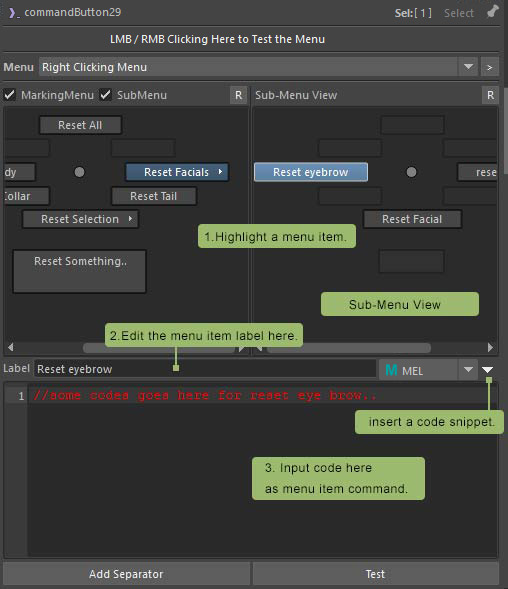
💡 Use the hotkeys
Ctrl+C,Ctrl+X,Ctrl+Vto copy , cut, paste menu items.
💡 Drag & drop the menu items between cells.
💡 Test the menu by left/right-clicking on the top test area.
💡 Different menus can be set to right & left-clicking menus. To make them always share the same menu, just turn on the
Use Right-Menuoption when editing left-clicking menu.
💡 If you have multiple picker items selected while you edit/create the menu here, the menu will be attached and applied to all the selected picker items.